
How to Fix "Can't Connect to This Network" on Your Laptop/Computer
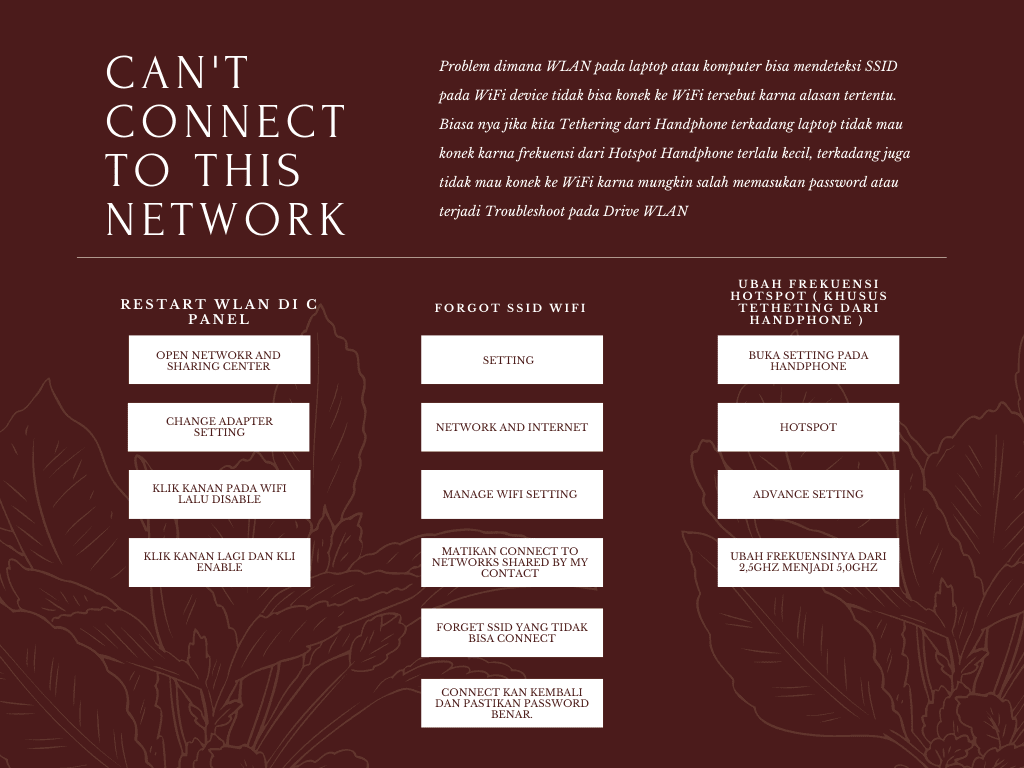
Right-click the WiFi logo on the taskbar > Open Network and Sharing Center > Change adapter settings > Right-click on WiFi > Disable > Right-click on WiFi again > Enable.
2. Forgot WiFi
Settings > Network & Internet > Manage Wi-Fi settings > Turn off Connect to networks shared by my contacts Forget SSIDs that cannot connect. Reconnect and ensure the password is correct.
3. Change Hotspot Frequency (For Mobile Phone Tethering Only):
Open Settings on your phone > Hotspot > Advanced Settings > Change the frequency from 2.5GHz to 5.0GHz
